AI terms worth knowing

Over the last week or two, my head has been spinning with all the latest AI updates that keep coming out. It feels literally impossible for one normal human being (and a mother of two) to keep up with all of it. But I’m trying my best, and one thing I keep finding myself doing is nodding along and pretending I understand what all the AI tech words actually mean.
So in today’s post, I’m breaking down some of the terms you might come across when working with AI.
Btw this post is for me as much as it is for you!

Let’s get into them…
MCP (Model Context Protocol)
Sounds like another one of those acronyms that will be asked on Who Wants to Be a Millionaire in five years’ time! But seriously, MCP is actually pretty straightforward once you strip away the jargon.
AI models like ChatGPT or Claude are smart, but on their own they’re stuck in a bubble. They can only work with what you type into them. An MCP is a bridge that lets AI connect to other tools and systems you already use, like your calendar, your email, your company’s database, or even a spreadsheet.
Without MCP, you’d have to copy and paste information into the AI yourself. With MCP, the AI can go and get that information on its own.
Let’s look at some examples:
Pulling data from your Google Calendar
Say you ask your AI assistant, “What does my week look like?” With MCP, the AI can connect directly to your Google Calendar, read your events, and give you a summary. Without it, you’d have to open your calendar, read through everything yourself, and then type it all out for the AI.
Managing your WordPress site If you use WordPress, there’s a free plugin called Novamira that uses MCP to connect your AI assistant directly to your site. So instead of logging into your dashboard and clicking through menus, you could ask your AI something like “How many orders did I get this week?” or “Why is my homepage loading slowly?” and it can go check for you. It works with whatever you’ve already got installed, whether that’s WooCommerce, Elementor, Yoast, or anything else.
In short, MCP is what turns AI from a clever chatbot into something that can actually do things in your world.
LLM (Large Language Model)
This is one you’ve probably seen everywhere. LLM stands for Large Language Model, and it’s the technology behind tools like ChatGPT, Claude, and Gemini.
Think of an LLM like a really well-read assistant. It has been trained on a huge amount of text. Books, articles, websites, conversations. From all that reading, it picked up how language works. How people ask questions, how answers are structured, how ideas flow together.
So when you type something into ChatGPT or Claude, it’s not searching the internet or pulling answers from a database. It’s using what it learned to write a brand new response, word by word, based on what makes the most sense.
A simple way to think about it:
You know when you start typing a message on your phone and it suggests the next word? An LLM works on a similar idea, just on a much, much bigger and smarter scale. Your phone might suggest one word. An LLM can write entire paragraphs, emails, blog posts, or even code.
Here are some examples of LLMs:
ChatGPT (by OpenAI), Claude (by Anthropic), Gemini (by Google), LLaMA (by Meta), Copilot (by Microsoft).
Vibe Coding
Vibe coding is when you build an app, a website, or a tool by simply describing what you want in plain English, and letting AI write all the code for you. You don’t need to know how to code. You don’t need to understand programming languages. You just explain what you’re after, and the AI figures out how to build it.
For example, you could say something like, “Build me a simple landing page with a sign-up form, a hero image, and a blue and white colour scheme.” The AI then writes all the HTML, CSS, and whatever else is needed to make that page work. You look at the result, tell it what to change (“make the button bigger,” “add a testimonial section”), and it updates the code for you.
Why is it called “vibe” coding?
Because you’re not really coding. You’re just vibing. You’re describing the feeling, the look, the idea of what you want, and the AI translates that into actual working code. You’re guiding the direction without getting into the technical details.
Claude Cowork
You know how when you use AI chatbots like ChatGPT or Claude, you’re basically having a conversation? You ask a question, it answers. You ask another, it answers again. It’s helpful, but you’re still doing most of the actual work yourself.
Claude Cowork flips that. Instead of chatting back and forth, you give Claude a task and it goes off and does it for you.
You give it a goal and Claude works on your computer, your local files, and your applications to return a finished deliverable. So rather than asking Claude “How should I organise this spreadsheet?” and then doing it yourself, you can say “Organise this spreadsheet for me” and it actually does it.
In regular chat, Claude responds to your messages but can’t access your files directly. In Cowork, Claude has permission to read, edit, and create files in folders you specify. That’s the key difference.
What kind of tasks can it handle?
Think of all the work that’s important but tedious. Tidying up documents, pulling together information from multiple files, formatting reports, scanning through data. The kind of stuff that eats up your afternoon but doesn’t require your creative brain. That’s what Cowork is built for.
Researchers, analysts, operations teams, legal professionals, finance teams: basically anyone who works with documents, data, and files every day and would rather spend their time on the thinking, not the admin.
Prompts & Prompt Engineering
A prompt is simply what you type into an AI tool. That’s it. When you open ChatGPT or Claude and type “Write me a blog post about healthy meal prep,” that sentence is your prompt. It’s just a fancy word for your instruction or question.
Now, prompt engineering is where it gets a little more interesting.
You’ve probably noticed that sometimes AI gives you an amazing answer, and other times it gives you something vague or completely off. The difference usually comes down to how you asked. Prompt engineering is just the skill of learning how to ask AI the right way so you get better results.
Here’s a quick example:
A basic prompt: “Write me a blog post.”
A better prompt: “Write me a 500 word blog post for busy mums about five quick weeknight dinners. Keep the tone friendly and conversational. Use short paragraphs.”
Same AI, completely different results. The second prompt works better because you told it exactly what you wanted: the topic, the audience, the length, the tone, and the format.
The main idea is simple: the more specific you are with your instructions, the better the output. Think of it like briefing a freelancer. If you say “write me something,” you’ll get something generic. If you explain who it’s for, what tone you want, and what the goal is, you’ll get something much closer to what you had in mind.
The more you use AI, the more you’ll naturally get better at prompting. It’s just a skill you pick up over time.
AI Agents
AI agents are one of the biggest things happening in AI right now.
Up until recently, most AI tools have been reactive. You ask a question, you get an answer. You give an instruction, you get a result. One step at a time, with you driving the whole process.
An AI agent is different. Instead of waiting for you to tell it what to do at every step, you give it a goal and it figures out how to get there on its own. It can break a task into smaller steps, decide which tools to use, handle problems along the way, and keep going until the job is done.
Think of it like this:
Regular AI is like texting a friend for directions one turn at a time. “Where do I go now?” “OK, and then?” “Now what?”
An AI agent is like handing someone your destination and letting them drive. You said where you want to end up, and they handle the rest.
A real world example:
Say you ask a regular AI, “Help me plan a birthday party for my daughter.” It might give you a nice list of ideas. Helpful, but you still have to do everything yourself.
An AI agent could take that same request and actually start working through it. It could research venues, compare prices, draft invitation wording, suggest a timeline, and pull it all together into a document for you. Multiple steps, multiple tools, minimal hand holding from you.
Wrapping Up
If you’ve made it this far, well done. You now know more AI terminology than most people, and hopefully it all makes a bit more sense than it did before.
The truth is, you don’t need to understand every technical detail to start using these tools. Most of us don’t know exactly how a car engine works, but we still drive every day. AI is the same. The more you play around with it, the more comfortable it becomes.
Also remember it’s about the mindset that you bring to it!
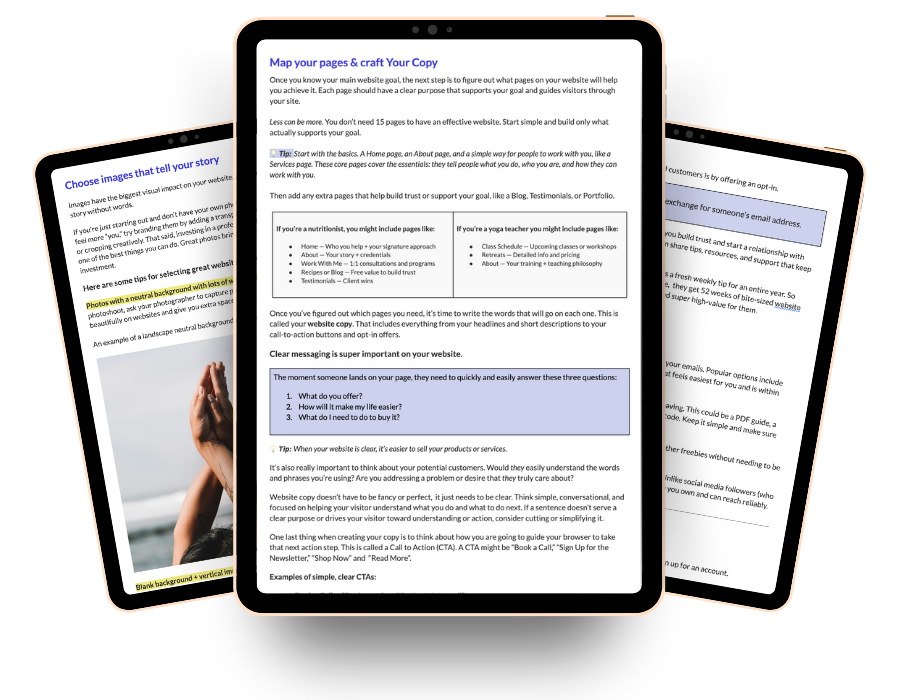
Free Workbook
The hardest part isn’t the design, it’s knowing where to start.
Planning your website doesn’t have to feel confusing, messy, or intimidating. This free Google workbook will help you gather the right pieces in the right order, so building your website feels smoother, easier, and way less stressful!