How to plan your website before you build it

Most people start building their website the wrong way.
They pick a theme, open a page builder, and start moving things around, hoping it will come together as they go. Hours later they have a homepage that looks nothing like what they imagined and copy they wrote on the fly that does not quite say what they meant.
The problem usually has nothing to do with the design, it has everything to do with skipping the planning stage!

Planning your website before you build it is not about creating the perfect strategy or having every answer before you start. It is about getting clear on a few simple things like your goals, who your audience is, your pages, and your content, so that when you do sit down to build, you are not making it up as you go.
In this guide I am going to walk you through exactly how to plan your website from scratch, in a way that is simple, practical, and actually doable even if you have never built a website before. By the end you will know what you need, what you can skip for now, and how to set yourself up for a build that feels a whole lot less overwhelming.
Let’s start at the beginning.
Start with your goal: what do you want your website to do?
Before you touch a single page builder, you need to know what you actually want your website to do.
A website that works does three things well. It attracts the right visitors. It guides them toward what you offer. And it gives them a clear next step to take. Every page, every heading, every button on your site should be working toward those three things, but none of that is possible without knowing your goal first.
Your goal is the foundation everything else is built on. It shapes which pages you need, what you write on them, and how you design the journey from landing on your site to taking action.
So before you go any further, pick one main goal.
Not three. Not a list of things you would like your website to eventually do. One primary goal that your website exists to achieve right now.
Good examples of a clear website goal:
- Grow your email list to 100 new subscribers each month
- Get consistent discovery call bookings from potential clients
- Increase online sales to a specific monthly revenue target
Notice that each of those is specific and measurable. “Get more clients” is not a goal. “Book five discovery calls a week” is.
Once you have your one goal, everything else becomes easier to decide. Your pages, your content, your calls to action, all of it flows from that single clear purpose.
A quick note on goals: most website goals fall into one of two categories. You are either trying to generate leads, getting people onto a call or into your inbox, or you are trying to make sales, getting people to buy directly from your site. Knowing which one you are focused on will shape almost every decision you make from here.
Know your audience before you write a single word
Once you know what you want your website to do, the next question is: who are you doing it for?
This is the step most beginners skip because it feels a bit abstract. You know who your customers are, so why do you need to think too hard about it? But there is a big difference between knowing your customers exist and actually understanding what they need to hear before they will trust you enough to take action.
Every word on every page should be written with one person in mind. What are they struggling with? What are they hoping to find? What questions do they have before they feel ready to buy, book, or sign up? When you know the answers to those questions, writing your website copy becomes so much simpler because you are not guessing anymore.
A helpful way to think about it is this: imagine one specific person sitting down and landing on your homepage for the very first time. They have never heard of you. They are probably a little skeptical. They are quickly scanning to figure out whether you are the right fit for them.
What do they need to see to stick around?
That person should be in the back of your mind every time you write a heading, choose an image, or decide what to put on a page.
Decide which pages you actually need
Now that you know your goal and your audience, it is time to figure out which pages your website actually needs.
This is where a lot of beginners go wrong. They assume more pages means a more professional website. It does not. A website with five focused, well-written pages will outperform a website with fifteen half-finished ones every single time. Start simple, build only what supports your goal, and add more pages later as your business grows.
Every website needs a home page that tells people what you do and who you help, an about page that builds trust and shares your story and a services or work with me page that makes it clear how people can take the next step with you. Those three pages alone can do a lot of heavy lifting.
From there, add only the pages that genuinely support your main goal.
To give you a practical example, a nutritionist might start with a home page, an about page, a work with me page covering consultations and programs, and a simple blog for free value. A yoga teacher might need a class schedule, a retreats page, and an about page covering their training and philosophy.
The pages look different because the goals and audiences are different. That is exactly the point.
Gather your content before you open a single design tool
This is the step that will save you more time and frustration than anything else on this list.
Most beginners open their page builder, start designing, and then realise halfway through that they do not have a logo in the right format, their photos are blurry, and they have no idea what to write on their homepage. Everything grinds to a halt. The build that was supposed to take a weekend stretches into weeks.
The fix is simple: gather everything before you start.
Think of it like cooking. You would not start making a meal without checking you have all the ingredients first. Your website is no different. Having everything ready before you build means you can focus on putting it all together instead of constantly stopping to hunt things down.
Here is what to pull together before you touch a single design tool:
Your logo and branding
Have your logo saved in the correct file formats, ideally a PNG with a transparent background. Know your brand colours and fonts. If you do not have a logo yet, that is worth sorting before you build rather than after.
Your images
This includes a good photo of yourself, any product or service images, and any lifestyle or stock photography you plan to use. Make sure your images are high quality but not so large that they will slow your site down.
Your copy
The words for each page. This does not need to be perfect but you do need a working draft before you start designing. Trying to write your copy and design your pages at the same time is one of the most common reasons website builds stall.
Once you have everything ready, building your website becomes a much smoother, faster, and far less stressful experience.
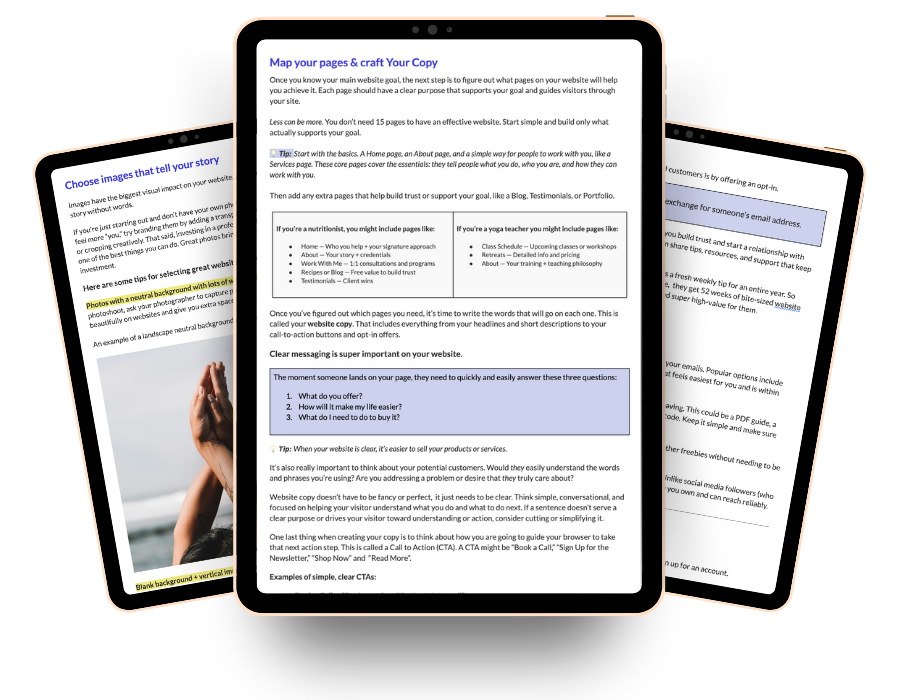
Free Website Planning Workbook
Planning your website doesn’t have to feel confusing! This free Google workbook will help you gather the right pieces in the right order, so building your website feels easier and way less stressful!
Map out your navigation and user journey
Once you have your pages planned and your content gathered, there is one more thing to figure out before you start building: how are your visitors actually going to move through your site?
This is called your user journey, and it is simply the path someone takes from landing on your website to taking the action you want them to take. Booking a call, signing up for your email list, making a purchase. Whatever your main goal is, your navigation should make that path as clear and simple as possible.
Your navigation menu is a big part of this. Keep it simple. Stick to your core pages and resist the urge to add every single page to the top menu. A clean navigation with four or five clear options is far more effective than a cluttered menu that overwhelms your visitor before they have even started reading.
Every page in that journey has one job: to move the visitor one step closer to taking action. When you map this out before you build, you can make sure every page has the right content, the right call to action, and a clear link to the next step.
You do not need fancy software to do this. A simple list or even a hand-drawn sketch of how your pages connect is enough to give you a clear picture before you start building.
You do not need to have it all figured out, you just need a plan
You do not need a perfect website and you do not need to have every answer before you start, you just need a plan!
So before you open a page builder or start browsing themes, take an hour to work through what you have learned here and if you want something to keep you organised and on track through the whole process, grab the free website planning workbook below. It walks you through every step in one simple Google doc so nothing gets missed and nothing slows you down. Grab the workbook here >>
Your website does not need to be perfect. It just needs to exist, work for your business, and be ready to grow with you.
Now go build it.