How Much Does It Really Cost to DIY a WordPress Website? (2026 Guide)

If you’ve just started a business, one question that might be top of mind is: “How much is it actually going to cost me to DIY my own website?”
It’s a great question, and the honest answer is that it depends on a few different things. So let me break it down for you, piece by piece, so you know exactly what to expect.
Note: For this post, we’re specifically talking about building a self-hosted WordPress website. This is the most popular way to build a website as it’s powerful, flexible, and gives you full control over your site. It’s also my preferred content management system and the one I use for my own website and all of my clients’ websites.
Essentially, WordPress.org is free as it is an open-source platform, which means the software itself costs you nothing. But you will need a few things to actually get it up and running, starting with hosting.
Hosting ($10 to $100 per month)
You can think of hosting as the piece of land your website lives on. Without it, there’s nowhere for your website files to actually live on the internet. You’ll purchase a hosting package from a provider like SiteGround, Cloudways, or Domains.co.za, and prices vary depending on the quality and size of the server. Most hosting providers offer different tiers, so if you are not sure where to start that’s okay, you can always upgrade as your business grows.
Hosting packages generally range anywhere from $10 to $100 per month and R100 – R500 if you are looking for a South African host provider.
Important note: choosing your hosting provider is one of the most critical decisions you’ll make for your website. A bad host can mean a slow website, unexpected downtime, and little to no support when things go wrong. Do your research before you purchase a package, the cheapest option isn’t always the best idea!
A domain name ($10 – $20 per year)
Your domain name is your website’s address, for example, mine is nicolatweed.com.
Purchasing a domain is an annual expense and can range from $10 – $20 per year and R90 – R400 if you are in South Africa. The cost of your domain name will depend on the suffix (the ending of your domain, like .com or .co.za) you decide to go for. Generally, .com domains are more expensive than local options like .co.za.
You can purchase your domain through your hosting provider or through a domain registrar like namecheap.com. Some hosting providers, like Domains.co.za, will include your first year’s .co.za domain registration for free when you purchase a hosting package.
Branding (Free)
In order to create a website that truly reflects you and your business, you need to know what the look and feel is going to be like and this is where your branding comes in. Your branding includes more than just your logo, it also includes your colours, fonts, icons and patterns. Without a style guide to work from, your website can quickly become inconsistent and difficult to manage.
Your branding doesn’t need to be elaborate or expensive, but it does need to be consistent!
If you don’t have the budget, you can put something together yourself using a tool like Canva, which works well if you’re just starting out. And if you need guidance on creating a style guide for your website be sure to check out this video where I walk you through exactly how to do this.
But if you want something truly polished and professional, it’s worth investing in a brand designer. This can start from around $1,500 and is honestly a really great investment you’ll make in your business.
Imagery (Free)
The images you use on your website can either make or break it so you have two main options here. You can hire a photographer for a professional brand photoshoot, which gives you unique, on-brand images that are entirely yours. This is something I can vouch for as I’ve done this several times in my career. The last shoot I did was over 5 years ago and I am still using those images on my website, on my social media accounts and in my pdf documents. Brand shoots vary so much and really depend on who you choose, how long they are and how many images you require.


The alternative is to use free or paid stock photography from sites like Unsplash, Pexels or Shutterstock and whilst they are a great option if you don’t have the budget you have to be careful that your website doesn’t start to look and feel generic.
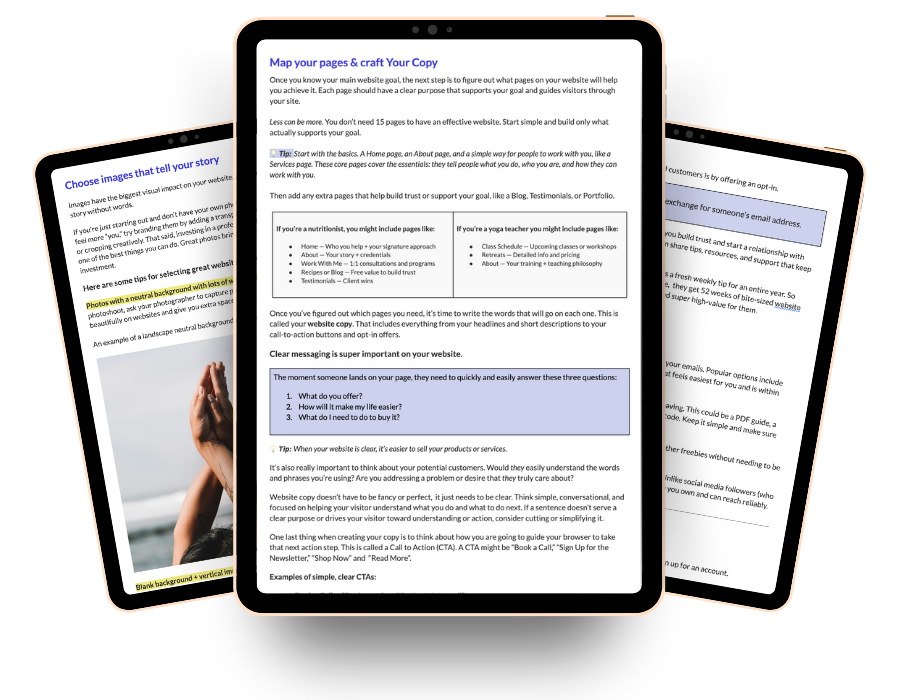
Free Website Planning Workbook
Planning your website doesn’t have to feel confusing! This free Google workbook will help you gather the right pieces in the right order, so building your website feels easier and way less stressful!
WordPress Theme (Free)
A WordPress theme is like the architecture of a house, it’s the underlying structure that determines how everything is laid out before you start adding your own content, colours and branding on top.
There are thousands of themes out there, both free and paid, and honestly it can be very overwhelming choosing a theme.
My personal favourite, and the one I use for my own website and all of my clients, is Kadence. The free version is genuinely impressive and will cover most of what you need to get started but if you want access to more templates, advanced design features and extra customisation options, you always have the option to upgrade to Kadence Pro which is $169/year.
Now, if you are just starting out, beginning with a blank canvas can feel pretty daunting so this is where a child theme, or starter template, comes in handy. It gives you a professionally designed foundation to work from, usually built around a specific niche, and includes all the key pages you need to get your website up and running. Kadence offers both free and premium starter templates, which are a great place to start.


Another one of my favourite places to find them is DIY Dream Site, where templates start from $219. It’s a worthwhile investment if you want your website to look polished from day one, without having to design everything from scratch.
A Page Builder or Block Builder (Free)
WordPress on its own is great, but to design your pages visually, without touching a line of code, you’ll want either a block builder or a page builder. These tools let you drag and drop your content into place, giving you full creative control over how your pages look.
My go-to is Kadence Blocks, which integrates beautifully with the Kadence theme. It’s really easy to use, has a great free version and you can create just about any layout you can imagine with it.
Other popular options I’ve personally used are Elementor and Beaver Builder. These are page builders rather than block builders, and while they work well, you do need to be careful about how you use them as they can slow your website down if not set up correctly. Most of these have free versions available, but in my opinion, none of them come close to what Kadence Blocks offers.
Plugins (Free)
Think of plugins like the apps on your phone. Just like apps extend what your iPhone or Android can do, plugins extend the functionality of your WordPress website. You can get a plugin for just about anything, from contact forms and SEO to security and speed optimisation.
There are both free and paid options available, and it is worth doing your research before installing anything because not all plugins are created equal. Some are well built and regularly updated, while others can cause more problems than they solve.
If you are creating a simple website, chances are you won’t need to purchase any plugins at all. But if you want more advanced functionality, such as an online store, this is where costs can start to add up. For ecommerce, popular options include WooCommerce, which is free to install but has paid add-ons, and SureCart, which is a great alternative worth looking into. Either way, it is something to factor into your budget from the start.
Email Marketing Software (Free)
In my personal experience an email opt-in completes your website. Every website should have a way to capture email addresses because your website and your email list is a team. Your website attracts the visitor, and your email list is how you stay in touch with them long after they’ve left your site.
In order to send out emails on a regular basis, you’ll need some kind of email marketing software like MailerLite, MailChimp and ConvertKit. They all have a free plan but my personal favourite is MailerLite. It integrates seamlessly with Kadence, gives you access to automations even on the free plan, and allows you to grow your list up to 500 subscribers before you need to upgrade.
Professional Email Addresses ($6.12 Per Month)
And lastly, another optional but worthwhile addition is a professional email address. Using a gmail.com address for your business doesn’t look great and a professional email like hello@yourbusiness.com builds trust instantly. You can set this up through Google Workspace (formerly G Suite) for around $6 per user per month, and it comes with the added bonus of Google Drive, Docs, and Calendar.
So, How Much Does It Really Cost to DIY a WordPress Website?
With all of these costs laid out in front of you, it might feel like a lot. But the reality is that you can get a solid WordPress website up and running for far less than you might think, especially if you’re willing to roll up your sleeves and do some of the work yourself.
The non-negotiables are your hosting, your domain name and your professional email address. At the very minimum, you’re looking at around $13 per month (roughly R208 per month) to get started. Everything else? You can absolutely start with the free versions and upgrade as your business grows and your needs change.
The most important thing is that you start. A website that exists and works is always better than a perfect one that never gets built.